
Web Design vs Page Builders: SEO Pros and Cons

seo impact of web design

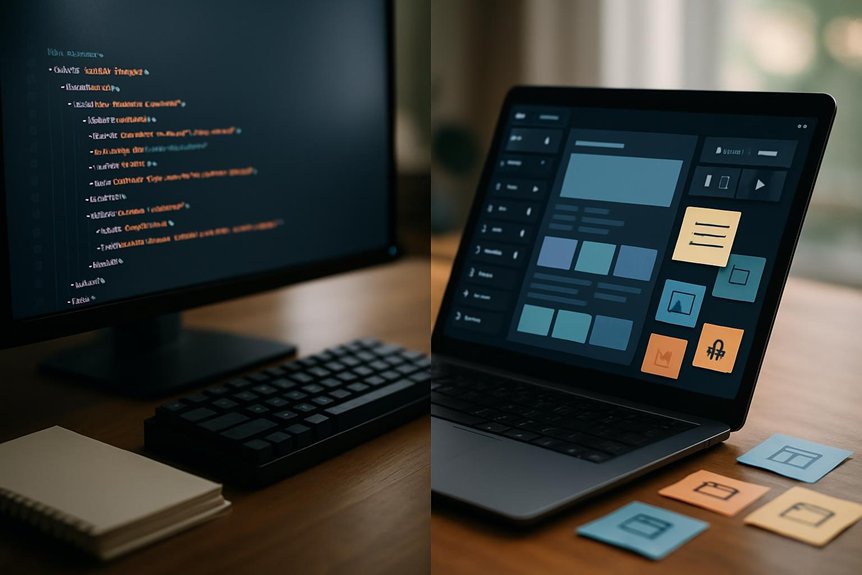
When you’re choosing between a custom web design and a page builder, the SEO trade-offs are real: one gives you full control over markup, speed and structured data, while the other saves time and money but can limit URLs, schema and performance. You’ll want to weigh immediate costs against long-term organic growth—and the right choice depends on your goals and resources—so keep going to see the exact pros, cons and a practical decision checklist.

How SEO Outcomes Differ: Custom Web Design vs Page Builders

When you need search visibility, custom web design gives you the control to implement precise SEO tactics—tailored keywords, metadata, structured data, and optimized code—that page builders usually can’t match.

You’ll get faster loading pages from optimized code, which cuts bounce rates and helps rankings, while custom websites let you craft proper mobile responsiveness and site architecture.

Page builders often lock you into templates, limiting URL structure, hierarchy, and advanced search engine optimization tweaks.

With a custom site you own content and analytics access, so you can iterate based on performance data; with many page builders you’ll face restricted data and limited changeability.

If you want predictable, measurable SEO outcomes, custom design gives you the tools to achieve them.

Technical SEO Builders Often Mishandle (Crawlability, Schema, Headings)

You’ve seen how custom design gives you tight control over SEO strategy; now look at where many page builders fall short on the technical details that make that strategy work.

You’ll find crawlability suffers when builders force generic site structures or bury pages behind JS-driven navigation, making indexing unreliable. Schema markup support is often minimal or hard to customize, so you miss rich snippet opportunities that boost CTR.

Heading tags get misused—multiple H1s or skipped levels—confusing content hierarchy and search engines. Builders also limit meta and alt tag customization, restricting on-page optimization.

Finally, slow loading times from bloated builder code raise bounce rates and undermine all other efforts, so you’ll want to verify technical flexibility before committing.

How Speed, Mobile UX and Markup Impact SEO Rankings

Although technical SEO sets the strategy, site speed, mobile UX and clean markup are what actually determine whether search engines and users stick around—slow pages or a clumsy mobile layout boost bounce rates and cut conversions, while semantic HTML and structured data help search engines understand and reward your content.

You’ll see measurable drops: a one-second delay can shave conversions and raise bounces, so prioritize speed with optimized assets and server responses.

Since Google uses mobile-first indexing, your mobile user experience must mirror or exceed desktop functionality; responsive design reduces friction and engagement loss.

Finally, use semantic markup and structured data so crawlers parse intent and context, which improves visibility and ranking potential when combined with fast, mobile-friendly pages.

SEO Advantages You’ll Actually Get From a Custom Website

Speed, mobile UX and clean markup set the baseline, but a custom website is where you turn those technical advantages into measurable SEO gains. You get tailored keyword and metadata implementation that aligns with goals, improving search engine rankings.

Your site structure and navigation are optimized for users and crawlers, reducing friction. Fast, lean code cuts load times and bounce rates. Mobile-responsive design meets Google’s expectations. Full ownership of content and data preserves SEO value when you move or update.

  • Tailored keywords and metadata for business intent
  • Optimized architecture that helps crawling and UX
  • Minimized code for faster loads and lower bounce
  • Mobile-first layouts that boost mobile visibility
  • Complete content/data ownership for portability

Working with skilled web developers makes these benefits real.

Cost vs SEO ROI: Page Builders vs Custom Web Design

When weighing cost against SEO ROI, think beyond monthly fees: a page builder might save you about $50/month up front, but its generic templates and limited optimization tools can cap your organic growth and lead to missed revenue.

Whereas a custom site requires a larger initial investment yet lets you implement tailored SEO, faster performance, and UX improvements that compound into higher traffic and conversions over time.

You’ll face a clear cost vs seo roi tradeoff: website builders lower short-term spend but often blunt long-term gains because they restrict technical SEO, schema, and speed tuning.

Custom web design costs more initially but enables targeted strategies that boost search rankings and conversions—research shows optimized sites can raise conversions up to 200%—so ROI usually favors custom work long-term.

Decision Checklist: Choose Custom or a Builder (Budget, Features, Timeline)

If you need a site fast and cheap, a page builder gets you live in a day for about $50/month.

But if you want tailored features, better SEO, and a polished UX that scales, plan for a custom build that takes a few weeks and a higher upfront investment.

You should weigh budget, features, and timeline against long-term goals. Builders suit simple sites, tight budgets, and urgent launches; custom sites fit complex needs, SEO strategies, and growth plans.

  • Assess your budget: monthly convenience vs upfront investment for scalability.
  • List required features: plugins vs bespoke integrations.
  • Set your timeline: launch urgency vs development lead time.
  • Consider SEO needs: basic controls vs advanced optimization.
  • Prioritize user experience and future maintenance.

Frequently Asked Questions

What Are the Disadvantages of Website Builder?

They limit SEO depth, use generic templates that harm branding, cause slower loads and higher bounce rates, impose page/navigation limits, and offer weak technical support, so you’ll struggle with performance, scalability, customization, and complex issue resolution.

What Is the 3 Second Rule in Website Design?

You’re told the 3-second rule: you must show your site’s purpose and clear navigation within three seconds, or visitors bail; it’s practically a lifetime online, so you’ll optimize visuals, messaging, speed, and intuitive layout to retain users.

What Is the Difference Between SEO and Web Design?

SEO optimizes your site’s content, structure, and authority to rank in search results, while web design shapes your site’s look, usability, and responsiveness; they overlap, but SEO targets visibility and design targets user experience.

What Is the Difference Between a Web Designer and a Website Builder?

A web designer builds a custom, optimized site for your specific needs and scalability, while a website builder gives you drag-and-drop templates and limited customization so you can quickly create simpler sites without deep technical expertise.

Conclusion

You’ve seen how custom web design gives you control over speed, markup, crawlability, and long-term SEO, while page builders can cut costs now but limit URLs, schema, and meta flexibility. Which would you rather have: quick savings or sustained organic growth? If you want higher conversions and durable rankings, choose custom; if budget and speed-to-launch matter most, a builder can work—just plan for SEO trade-offs and future migration.


Best Image Optimization Techniques for Web Design and SEO

image optimization for seo

Think of images as the silent ambassadors of your site, carrying weight and first impressions. You’ll want to serve the right size with srcset, use WebP/AVIF with fallbacks, and choose lossy or lossless compression where it matters. Add lazy loading, concise alt text, and social-friendly crops to boost speed and discoverability. Keep going — the next steps will show how to automate these choices and measure real SEO gains.

Serve the Right Image Size With Srcset

When you provide multiple image sources with the srcset attribute, the browser picks the best one for the user’s screen and resolution. This means mobile visitors get smaller files while high-DPI displays receive sharper images.

You should define appropriate image sizes and variants so the browser can choose without extra logic; that yields optimized images and smaller image file sizes for mobile devices, cutting data use. That reduction improves loading times and helps Core Web Essentials, particularly Largest Contentful Paint (LCP), because the correct image arrives faster.

Modern browsers handle selection automatically, boosting performance metrics without JavaScript. Faster pages mean better user experience and can positively affect search engine rankings, so using the srcset attribute is an efficient, low-effort way to serve right-sized images.

Serve WebP/AVIF Safely (Fallbacks and Negotiation)

After you’ve set up srcset to deliver the right dimensions, you’ll want to serve modern formats like WebP or AVIF to shrink file sizes further and speed up pages.

You should test browser capabilities and use the picture element to provide WebP/AVIF sources with fallback formats like JPEG or PNG so older browsers still get images.

Configure server-side negotiation where possible so requests receive the best image formats automatically, improving page load speed and SEO.

Use image optimization tools to generate variants and automate conversions, and run A/B tests to quantify gains — studies show significant load-time reductions.

That strategy delivers superior compression without breaking user experience, ensuring visitors always see a compatible image.

Choose Compression: When to Use Lossy vs Lossless

If you’re aiming to balance quality and speed, pick lossy compression for photographs and rich visuals and reserve lossless for graphics that need crisp edges, text, or transparency.

You’ll use image compression to cut file sizes and boost page load speeds while protecting visual quality where it matters.

Lossy compression removes some data to shrink files 30–70%, ideal for photos; lossless compression preserves every pixel, trimming 10–50%, best for logos, screenshots, and transparency.

Choose based on context and monitor engagement metrics to see effects on user experience and SEO rankings.

  1. Use lossy for photos to create optimized images with smaller file sizes.
  2. Use lossless for text, icons, and transparent assets.
  3. Test trade-offs in web design and measure page speed and engagement.

Optimize Images for Social and Mobile (Sizes, Cropping, Touch)

Because social platforms and mobile screens vary so much, you should tailor image sizes, crops, and touch targets to each context to keep visuals clear and interactions reliable.

Use platform-specific social media dimensions (for example, 1200×630 for Facebook links and 1080×1080 for Instagram) so optimized images display without awkward cuts.

Apply intelligent cropping to keep faces and focal points visible — that can boost engagement rates substantially.

Prioritize mobile optimization by serving appropriately sized files via responsive design and ensuring touch-friendly dimensions (minimum 44×44 px for tappable images) to reduce accidental taps.

Track performance metrics to compare formats and placements; optimized images that match device and platform needs raise user experience and can drive far higher engagement.

SEO for Images: Filenames, Alt Text, and Schema

When you name, describe, and mark up images correctly, search engines and users both understand them better and your pages rank and convert more effectively.

Use descriptive filenames that are keyword-rich (e.g., organic-gardening-tools-raised-bed.jpg) so image SEO helps discoverability. Write concise alt text (under 125 characters) to boost accessibility and let search engines index images accurately.

Add structured data for product photos or recipes to give search engines extra context and improve click-through rates. Create an image sitemap so Google can find and index visual content faster.

  1. Use descriptive filenames and keyword-rich alt text.
  2. Implement structured data and image sitemap entries.
  3. Keep optimized images that support Core Web importance and accessibility.

Improve Perceived Speed: Lazy Loading, Preloading, Critical Images

Although images make pages attractive, they can also slow perceived load times, so prioritize which visuals load immediately and which can wait.

You should use lazy loading to defer off-screen images, reducing initial payload and improving perceived speed so users see useful content faster.

Preloading critical images like hero visuals guarantees they render early, lowering Largest Contentful Paint (LCP) and smoothing user experience.

Combine strategies: mark critical images for preload and lazy load lower-priority assets.

That focused image optimization helps Core Web Essentials and can reduce bounce rates as pages feel snappier.

Better metrics mean improved SEO rankings, since search engines favor fast, engaging sites.

Apply these tactics selectively to balance speed, fidelity, and engagement.

Automate Image Pipelines and Measure Impact (LCP, CLS, Engagement)

If you want consistent, fast image delivery at scale, automate your image pipeline so conversions, responsive resizing, intelligent cropping, and CDN distribution happen without manual steps.

Automate image pipelines to cut response times like Chronext did and integrate tools into your CMS for faster publishing and fewer bottlenecks.

Use lazy loading techniques to defer offscreen images and improve initial load.

  1. Measure impact: track Largest Contentful Paint (LCP) and Cumulative Layout Shift (CLS) to evaluate image optimization against Core Web Essentials.
  2. Apply intelligent cropping and responsive resizing to prioritize key visual elements and boost engagement, following examples like Nikkei.
  3. Monitor engagement and iterate — combine image management, CDN delivery, and analytics to continuously improve UX and SEO.

Frequently Asked Questions

How Do Image CDNS Differ From Self-Hosted Image Pipelines?

They differ in setup, control, and scalability: you get managed resizing, caching, and global delivery with CDNs, while self-hosted pipelines give you full control and lower recurring cost but require more maintenance and infrastructure.

Can SVGS Be Optimized the Same Way as Raster Images?

Right off the bat: yes, you can optimize SVGs differently than rasters; you’ll minify, remove metadata, simplify paths, and use symbols or sprites; don’t reinvent the wheel—keep them lean and cacheable for fast rendering.

How Do Images Affect Core Web Vitals Beyond LCP and CLS?

They impact FID and cumulative input delays too: heavy images can block main thread during decoding, delay interactivity, increase JavaScript parsing time for lazy loaders, and cause network contention that slows resource fetching and user inputs.

What’s the Impact of Image Licensing on Optimization Workflows?

Licensing acts like a gatekeeper: it shapes how you store, compress, and serve images, because you’ll need to respect usage limits, attribution, CDN rules, and derivative restrictions, so your optimization workflow must include legal checks.

How to Handle User-Uploaded Images Securely and at Scale?

You should validate, sanitize, and virus-scan uploads, enforce size/type limits, store originals separately, generate resized/optimized variants via trusted services, use authenticated access and signed URLs, rate-limit uploads, and monitor logs for abuse.

Conclusion

You’ve got the tools to make images fast, beautiful, and discoverable — now use them. Serve the right size with srcset, fall back from AVIF/WebP, pick lossy or lossless wisely, and craft filenames, alt text, and schema that search engines actually read. Lazy-load and preload critical visuals, automate resizing and cropping, and track LCP and CLS. Like a well-tuned lens, these tweaks sharpen user experience and boost SEO — small changes, big focus.

Web Design Elements That Improve Dwell Time and SEO

enhancing site engagement strategies

Think of your homepage as a well-lit doorway drawing people in with purpose and promise. You’ll keep visitors past that first glance by tightening page speed, guiding eyes with visual hierarchy, and breaking content into scannable blocks. Add purposeful visuals, micro‑interactions, and smart internal links to nudge exploration. Optimize for mobile touch flows, and you’ll turn brief visits into meaningful journeys—here’s how to make each element earn its place.

Prioritize Fast Page Speed to Prevent Quick Exits and Boost Dwell Time

Because visitors decide fast, you need pages that load almost instantly to keep them from leaving — 53% of mobile users bail after three seconds.

You should prioritize fast page speed to improve user experience and lower bounce rate, since slow loading times cut dwell time and hurt conversions.

Run PageSpeed Insights to pinpoint image bloat, unminified code, and caching issues affecting mobile devices. Fixing those boosts user engagement and gives you an edge in search engine results where speed matters.

Remember that a one-second delay can trim conversions by about 7%, so optimize images, enable browser caching, and defer noncritical scripts.

Treat loading times as fundamental design work, not optional polishing, to keep visitors and grow revenue.

Design a Visual Hierarchy (Fonts, Color, Layout) That Guides Attention

When you structure fonts, color, and layout deliberately, you guide users’ eyes to the most important information and make pages easier to scan.

Use size, weight, and contrast to build a clear visual hierarchy so headlines, subheads, and CTAs stand out. A consistent color scheme boosts readability and emotional response, supporting brand recognition and user retention.

Thoughtful layout design with ample white space lowers cognitive load, encouraging longer dwell time and reducing bounce rate. Make your call-to-action colors pop against backgrounds to lift click-throughs while grouping related topics to preserve logical flow.

Align this visual system with your content strategy to present engaging content that’s easy to navigate, increasing user retention and improving SEO performance.

Structure Scannable Content Blocks for Faster Reading and Retention

If you want readers to find key ideas fast, break your page into scannable content blocks with clear headings, short 3–4 line paragraphs, and strategic use of bolding.

You’ll improve the reading experience by grouping related points into digestible chunks and using bullet or numbered lists to make steps or facts obvious.

Clear headings surface main ideas so visitors scan for relevance, boosting user engagement and retention.

Bold key phrases to guide skimmers toward essential concepts and support user comprehension.

Maintain visual clarity with whitespace between blocks so the page feels approachable rather than dense.

Pair each block with relevant visuals only when they reinforce the point, helping users remember content and encouraging them to stay longer on the page.

Add Images, Infographics, and Video Only When They Increase Comprehension

Although visuals can grab attention, only add images, infographics, or videos when they clarify a point or make data easier to understand; otherwise they clutter the page and slow readers down.

You should pick multimedia elements that boost user comprehension by providing clear visual context or summarizing complex data so visitors grasp ideas faster.

Well-chosen infographics and short explanatory video clips can increase dwell time and make content more engaging for varied learning styles.

Optimize files to avoid slow-loading assets that harm user experience and SEO.

If a graphic doesn’t add meaning, remove it.

Test visuals for relevance and load speed, and prioritize captions, alt text, and concise labels so every image supports comprehension and keeps readers exploring.

Add Micro‑Interactions and Small Rewards to Encourage Exploration

Because small moments of feedback make pages feel alive, adding micro‑interactions and tiny rewards encourages users to explore more of your site.

You should use subtle animations and hover feedback as interactive elements that prompt clicks and signal success, boosting user engagement and dwell time.

Introduce small rewards—unlocked tips, short achievements, or content reveals—to motivate deeper user exploration without disrupting navigation.

Gamified elements like progress bars or mini-quizzes turn passive viewing into active participation and can reduce bounce rates.

Keep micro-interactions purposeful and lightweight so they enhance website design and load speed.

Measure which interactions increase return visits and refine them.

Done well, these tiny cues make your site more memorable, encourage repeat visits, and improve overall SEO through sustained engagement.

When you guide readers with purposeful internal links, you keep them moving through your site and increase the chances they’ll stick around.

Use internal links to guide users from one relevant topic to another, pointing them to related content that answers next questions. Descriptive anchor text sets expectations and encourages clicking through, which helps reduce bounce and engage users longer.

A clear site navigation and in-content linking strategy distributes authority to priority pages and boosts SEO performance while you improve user experience.

Audit links regularly so they stay relevant, remove dead ends, and surface fresh resources.

Optimize Mobile Layouts and Touch Flows for On‑The‑Go Dwell Time

If your site doesn’t feel native on a phone, people leave fast — so prioritize responsive layouts and touch-friendly flows that make browsing effortless on the go.

You should focus on mobile optimization to boost dwell time and user engagement: design responsive layouts, size touch-friendly elements like buttons and menus, and guarantee seamless navigation that keeps visitors exploring.

Fast-loading pages matter—compress images, defer nonessential scripts, and use caching so content appears instantly.

Mobile-friendly websites also rank better, so optimizing improves SEO while you reduce bounce rate.

Test across devices and network speeds, streamline content for readability, and measure behavior to iterate.

Do this and you’ll create a mobile user experience that retains users and encourages deeper interaction.

Frequently Asked Questions

Which Web Design Element Can Improve SEO?

A responsive web design improves SEO by adapting to any device, so your pages load properly and users stay longer; you’ll reduce bounce rates, boost crawlability, and signal relevance to search engines through better engagement and accessibility.

What Are the 3 C’s of SEO?

Think of them as your SEO tripod: Content, Code, and Credibility. You’ll craft compelling content, clean code for fast, accessible pages, and build credibility with authority and links, so users and search engines trust and stay.

How Does Dwell Time Affect Website SEO?

Dwell time boosts SEO because search engines see longer visits as relevance signals, so your pages rank better when users stay and engage; you should optimize content and experience to keep visitors interacting and reduce quick exits.

How to Increase Dwell Time on a Website?

Think of your site as a cozy conversation: craft clear, scannable content, add engaging media, speed up loading, guarantee mobile ease, link related pages, and refresh content often — you’ll keep visitors curious and staying longer.

Conclusion

You’ve tightened load times, set a clear visual path, broken content into bite-sized blocks, and sprinkled visuals, micro-interactions, and internal links that invite clicks. Now imagine a visitor arriving, eyes scanning a clean layout, tapping a helpful video, pausing to read a highlighted snippet, then following an internal link — staying longer than you expected. Keep refining those elements, and you’ll watch dwell time rise and SEO gains quietly stack up, page by page.

Best Web Design Practices for Local SEO Websites

local seo web design

If you want local search to actually work for your business, your website has to be built with local intent in mind from day one. You’ll focus on mobile-first layouts, clear location pages, local keywords and schema, and navigation that helps both users and search engines find what matters. Get those fundamentals right and you’ll see better visibility and conversions—next we’ll cover the exact structure and elements to prioritize.

Prioritize Mobile-First Design for Local SEO

Because most local searches happen on phones, you should design your site mobile-first so local customers get a fast, easy experience that keeps them engaged.

You’ll improve local SEO by prioritizing mobile-first design and responsive design so Google indexes your mobile pages and your visibility in search results rises.

Focus on user experience: optimize load times, use clear navigation, and add click-to-call and simple forms to boost engagement.

Remember 53% of users abandon slow pages, so trim scripts and compress images. A mobile-friendly layout reduces bounce rates and reinforces trust with local customers.

When you build for mobile first, you make it easier for people to find, contact, and convert from search results.

Map Site Structure: Locations, Services, and Landing Pages

When you map your site structure around clear locations and services, both visitors and search engines find what they need faster, which boosts engagement and local rankings.

You should map site structure using a logical hierarchy that groups locations and services, so users and search engines understand your offerings quickly. Create dedicated landing pages for every service and location, each with localized content that speaks to neighborhood needs.

Use a hub-and-spoke approach for internal linking: homepage to main categories, categories to specific landing pages, which reinforces topical relevance for local SEO. Keep URLs and navigation consistent across the site structure, and guarantee each landing page includes clear contact details and structured business info.

That clarity helps search engines index pages and visitors convert.

Optimize Pages With Local Keywords and Schema

If you want local customers to find and trust your pages, optimize titles, meta descriptions, headings, and on-page copy with precise location-based keywords and add LocalBusiness schema so search engines clearly understand your name, address, phone, hours, and services.

You should optimize pages by weaving local keywords into website content, creating location-specific content pages, and updating copy regularly to boost search visibility.

Implement schema markup and structured data for services so crawlers can index offerings and increase chances in local search results.

Combine this with a focused local SEO strategy to earn rich snippets and local search pack placements.

  • Create dedicated landing pages with location-specific content.
  • Add LocalBusiness schema and service structured data.
  • Keep meta tags current and keyword-targeted.

Although users often arrive with a specific task in mind, your navigation and internal links should make everything else just as easy to find, guiding visitors quickly to services, location pages, contact info, and related content.

Design navigation that’s consistent across pages so users move intuitively, improving user experience and reducing bounce rates.

Use internal linking to map your website structure clearly for search engines and to distribute page authority where it matters.

Link related posts and location pages to boost content discoverability and keep visitors exploring.

Favor descriptive anchor text so both users and SEO understand each link’s destination.

A tidy menu, contextual links, and clear paths to conversion will lift conversion rates and strengthen your local SEO without confusing visitors.

Sync Google Business Profile and Local Citations With Your Site

Because search engines and customers rely on consistent details, you should sync your Google Business Profile and other local citations with the exact name, address, and phone number on your site. Doing this keeps NAP information consistent, which boosts business visibility and local SEO rankings.

You’ll also improve local search results by updating your GBP with accurate categories, fresh images, and posts that reflect offerings on your site.

  • Use structured data markup (LocalBusiness) to optimize your website and reinforce NAP information.
  • Regularly audit listings and focus on monitoring local citations to catch discrepancies fast.
  • Align GBP categories and on-site content so search engines clearly understand your services.

Sync Google Business Profile updates with site changes to maintain trust and visibility.

Design Pages to Convert: CTAs, Trust Signals, and Local Reviews

When you design pages that convert, place clear, compelling CTAs where visitors naturally look and pair them with trust signals—like security badges, testimonials, and local reviews—to boost confidence and drive action.

You should use clear language and bold visual contrast so CTAs guide visitors to call, book, or buy, which can lift conversion rates substantially.

Add credibility with industry certifications and user-generated reviews near actions to reduce hesitation. Show location-specific testimonials and local reviews to personalize the experience and support local SEO.

That combination improves engagement, credibility, and search engine visibility while encouraging choices that favor your business.

In web design, prioritize concise messaging, visible trust signals, and prominent CTAs to convert local traffic.

Test and Iterate: Usability, Analytics, and Local SEO Checks

To keep your site performing and ranking locally, continuously test and iterate on usability, analytics, and local SEO checks so you can find friction, validate fixes, and measure impact.

You’ll run usability testing with real users to spot confusion and smooth navigation, improving user experience and conversion rates. Use analytics tools to track behavior, test hypotheses, and confirm that changes boost local SEO effectiveness.

Regularly verify local SEO compliance by checking NAP information on your site and Google Business Profile. Watch page load speeds and mobile responsiveness, since slow or non-mobile sites hurt rankings.

Implement A/B testing for CTAs and layouts to see what increases engagement.

  • Run moderated usability testing sessions
  • Monitor analytics tools and key metrics
  • A/B testing for page elements

Frequently Asked Questions

How Do I Choose a Domain Name for Local SEO?

Pick a short, memorable domain reflecting your business and location, avoid keyword stuffing, choose a .com or local TLD, use easy spelling, check trademark availability, guarantee it’s brandable and matches your business name for consistent local SEO signals.

Should I Use a Subdomain or Subfolder for Multiple Locations?

Use subfolders for multiple locations — you’ll keep domain authority consolidated, simplify tracking, and avoid duplicate content issues; only use subdomains if locations need separate sites or distinct branding that justifies separate SEO efforts.

How Do Voice Searches Affect Local Web Design?

Voice searches boost mobile, conversational queries, so you should optimize for natural language, concise answers, structured data, fast load times, clear contact info, and local schema; make pages speak directly to intent and voice-friendly phrasing.

What CMS Platforms Are Best for Local SEO Sites?

Imagine a lone lighthouse promoted by a blog—WordPress, Shopify, and Wix lead for local SEO. You’ll pick WordPress for control, Shopify for stores, Wix for speed; they’ll handle schema, mobile, fast loading, and local listings.

Can AMP Still Benefit Local Business Pages?

Yes — you can still use AMP to speed mobile pages, improve user experience, and potentially boost visibility in mobile results; just guarantee schema, local content, and tracking remain intact while avoiding stripped-down features that hurt conversions.

Conclusion

You’ve got the essentials: make mobile-first pages, organize location-specific landing pages, use local keywords and schema, and build navigation that helps users and search engines. Don’t forget to sync your Google Business Profile and add clear CTAs, trust signals, and reviews. Test and iterate with analytics. For example, a local bakery that revamped its mobile site, added neighborhood landing pages and schema saw a 40% increase in calls and a 30% lift in search traffic within three months.

How Core Web Vitals Affect Web Design and SEO Performance

web design and seo optimization

About 75% of users say they’d abandon a site that takes more than three seconds to load. You need pages that load fast, respond instantly, and don’t shift unexpectedly, or you’ll lose traffic and rankings. Design choices — from images and layout to JavaScript — directly shape those Core Web Essentials, and a few targeted fixes can make a big difference. Here’s how to prioritize and prove the gains.

Why Core Web Vitals Matter for SEO and UX

Because search engines now treat actual user experience as a ranking signal, Core Web Essentials matter for both SEO and UX: they measure how fast your main content appears (LCP), how responsive your site feels (INP), and how stable the layout is while pages load (CLS).

You’ll rely on Core Web Essentials as performance metrics that directly influence site ranking when content relevance and authority are similar.

If Largest Contentful Paint or Interaction to Next Paint lag, visitors leave faster, increasing bounce rates and reducing conversions. Poor Cumulative Layout Shift undermines trust and usability.

Since only a minority of sites meet benchmarks, optimizing these signals improves page experience and gives you a competitive SEO edge.

Keep monitoring them, because performance drifts over time.

Quick Wins: Prioritize CWV Fixes That Move the Needle

When you focus on a few high-impact Core Web Essentials fixes—LCP, CLS, and INP—you’ll get the biggest return on effort: shave LCP below 2.5s by optimizing hero images and server response, lock CLS under 0.1 by reserving image and ad dimensions, and cut INP toward 200ms by deferring nonessential scripts and breaking up long tasks.

Start by running PageSpeed Insights and Google Search Console to pinpoint performance issues tied to Core Web Crucial Metrics.

Use image compression and caching to improve LCP and overall PageSpeed. Set explicit width/height for media and ads to eliminate CLS.

Defer or split heavy scripts to reduce INP and improve interactivity.

These targeted fixes boost user experience, reduce bounce, and positively affect SEO and search rankings without a full redesign.

Design Rules to Improve LCP, INP, and CLS

Good design follows performance rules: prioritize delivering the main content first, reserve space for media, and keep scripts lean so LCP stays under 2.5s, CLS under 0.1, and INP near 200ms.

You’ll shape web design to balance aesthetics and performance: prioritize main text and hero images in the initial HTML to reduce load time and improve LCP.

Use a Content Delivery Network to serve assets faster and enhance user experience.

Declare dimensions for media to prevent layout shifts and cut CLS.

Minimize JavaScript execution, deferring noncritical scripts to keep INP low.

  1. Prioritize above-the-fold content and optimize images for faster LCP.
  2. Reserve space for images/videos to avoid layout shifts (CLS).
  3. Defer nonessential JS to reduce execution time and improve INP.

Technical Fixes for Developers (Images, JS, Layout)

Although the fixes touch images, JavaScript, and layout, you can address each precisely to cut LCP, INP, and CLS: compress and resize images, declare width/height and use lazy loading to prevent shifts; defer or split nonessential JS and use code-splitting to keep interaction latency under ~200 ms; and rely on modern CSS (Flexbox/Grid) plus explicit media sizing to maintain stable, responsive layouts.

You should compress images and serve responsive variants to hit Largest Contentful Paint targets (under ~2.5s).

Defer and minimize JavaScript to reduce First Input Delay and Interaction-to-Next-Paint, keeping handlers fast.

Add width/height and reserve space to prevent Cumulative Layout Shift, and enable lazy loading for off-screen media.

Use CSS techniques for visual stability and better user experience, aligning with Core Web Essentials.

Field vs. Lab Data: Measure Core Web Vitals Correctly

Because real users vary their devices, networks, and behavior, you should rely on field data to understand true Core Web Essentials performance rather than only trusting lab runs.

Field data captures real user metrics and reveals issues lab data might miss, so for web design and SEO performance you’ll treat it as authoritative.

Google Search Console surfaces that field data and PageSpeed Insights gives both perspectives, letting you compare lab data simulations with live signals.

  1. Use Google Search Console for Core Web Essentials performance summaries and trends.
  2. Use PageSpeed Insights to combine lab data diagnostics with field data context.
  3. Keep monitoring performance continuously so real user metrics guide design decisions and SEO efforts, not just controlled tests.

Track, Iterate, and Prove Core Web Vitals Improvements

Now that you’re tracking Core Web Essentials with field data, make that information the engine for continuous improvement: set measurable goals, instrument RUM and Search Console so you can spot regressions quickly, and run focused experiments (for example, lazy-load images or trim unused JavaScript) to see what moves your LCP, FID/INP, and CLS.

Use real user data to monitor performance trends and analyze data regularly so you can prioritize design changes that actually improve Core Web Crucial Metrics. Track metrics alongside engagement signals to prove impact: lower bounce rates and longer sessions tie better user experience to SEO performance.

Iterate by A/B testing optimizations—optimize images, defer scripts, simplify layouts—and keep proving gains with RUM and Search Console dashboards.

Frequently Asked Questions

How Do Core Web Vitals Affect Accessibility for Assistive Technologies?

They directly influence accessibility because slow or unstable pages frustrate assistive tech; you’ll hinder screen readers, keyboard users, and switch controls when elements shift or load late, so optimizing essentials improves predictable, usable experiences for everyone.

Can CWV Optimization Conflict With Brand Visual Design?

72% of users abandon slow sites, so yes, CWV optimization can clash with brand visuals. You’ll balance aesthetics and performance by simplifying animations, compressing assets, and iterating with designers to preserve identity while improving Core Web Essentials.

How Do CWV Scores Vary Between CMS Platforms?

They vary significantly: some CMSs ship optimized themes and caching so you’ll get better CWV by default, while others need heavy tuning. You’ll still need to optimize assets, hosting, and plugins to reliably improve scores.

What Budget/Time Estimates Are Typical for a CWV Audit and Fixes?

You’ll typically budget $1,000–$8,000 and 1–4 weeks for a full CWV audit plus prioritized fixes; smaller sites cost less, enterprise work drives higher fees and longer timelines, and ongoing monitoring adds monthly expenses.

Do Core Web Vitals Influence Paid Search Ad Quality Scores?

Yes — you’ll see Core Web Essentials subtly affecting paid search quality scores. Think of a slow page as a dragging anchor; ad platforms factor landing page experience, so faster, stable pages can boost relevancy and lower costs.

Conclusion

You’ve seen how Core Web Essentials drive UX and SEO — they’re the silent engine behind every successful site. Prioritize quick wins, apply smarter design rules for LCP, INP, and CLS, and hand off clear technical fixes to devs. Measure with both field and lab data, track progress, and iterate relentlessly. Fixing CWV is worth its weight in gold: small changes can skyrocket engagement, lower bounces, and boost conversions.

Why Mobile-First Web Design Is Critical for SEO Success

mobile optimization enhances seo

If you want search visibility and real user engagement, you need to treat mobile as your primary audience. Google indexes sites mobile-first, users expect fast, clear experiences on small screens, and slow or cluttered mobile pages tank conversions. I’ll show which metrics, design choices, and technical fixes move the needle—and what most teams miss—so you can prioritize the changes that actually improve rankings and revenue.

Why Mobile-First Design Matters for SEO in 2025

Because most people now browse on phones, designing for mobile first isn’t optional—it’s how you’ll win visibility and keep visitors.

You need mobile-first design to capture over 70% of web traffic and deliver the mobile optimization Google expects.

Focus on a mobile-friendly website that prioritizes faster loading times and intuitive navigation so user experience improves and bounce rates fall—sometimes by up to 53%.

That drop in exits boosts user engagement and signals relevance to search rankings, directly impacting SEO success.

When you streamline content, compress assets, and simplify interactions, conversions rise and your site stays competitive as expectations evolve.

Adopt mobile-first practices now to protect visibility and drive measurable gains in traffic and conversions.

How Google’s Mobile-First Indexing Evaluates Your Site

Now that you’ve committed to mobile-first design, you need to understand how Google evaluates your site: mobile-first indexing means Google primarily crawls and ranks the mobile version, so any content, structured data, or performance differences between mobile and desktop can change your visibility.

You must guarantee content indexing parity — the mobile site should mirror desktop content and structured data so SEO success isn’t undermined.

Google’s algorithms factor page speed, mobile-friendly design, and mobile optimization when determining search rankings. Slow pages raise bounce rates and hurt user engagement, which signals lower quality to Google.

Monitor mobile metrics, fix missing content or schema on mobile, and optimize load times. Doing so preserves rankings and aligns your site with Google’s mobile-first expectations.

Mobile User Behaviors That Affect SEO

How do mobile users behave differently, and why does that matter for your SEO?

Mobile user behaviors show people want fast access and concise info; 53% leave if pages load over three seconds, so fast loading times directly affect SEO performance.

Over half of traffic is mobile, so mobile-first indexing means Google looks at your mobile site first. If your site isn’t easy to navigate or content isn’t immediately accessible, you’ll see higher bounce rates, which hurt rankings.

By optimizing for mobile—clear menus, prioritized info like store hours, and touch-friendly layouts—you improve user experience and keep users engaged.

A mobile site that’s quick and easy to navigate leads to lower bounce rates and better SEO outcomes.

Mobile-First Performance Metrics to Track First

Start by tracking a short list of mobile-first performance metrics that directly affect rankings and user experience: mobile page speed, bounce rate, crawl errors, engagement, and conversions.

You’ll aim for a PageSpeed Insights score of 90+ because 53% of mobile users leave after three seconds; faster load times boost search engine rankings and reduce bounce rates.

Monitor mobile crawl errors in Google Search Console to fix indexing blockers. Measure user engagement metrics—time on site and interactions—to judge if your mobile-first design delivers an intuitive user experience.

Track conversion rates to confirm mobile-friendly sites turn visits into actions.

  • Mobile page speed targets (90+)
  • Mobile bounce rates by page
  • Mobile crawl errors trends
  • User engagement metrics (session length)
  • Conversion rates per device

Mobile-First Content & Layout Priorities

After you’ve been tracking mobile performance, shift focus to what users actually see and touch: content and layout. You’ll prioritize essential information, using a clear content hierarchy and concise messaging so visitors find what they need fast.

Adopt a streamlined design with larger touch targets and simple navigation to cut accidental taps and boost engagement. Make pages mobile-friendly by using optimized images and compressed media to support fast load times—critical since users abandon slow pages.

Rely on responsive layouts so content adapts across devices without breaking user experience. This mobile-first design mindset reduces friction, improves interaction metrics, and signals quality to search engines.

When you design for mobile users first, you set the stage for measurable SEO success.

Technical Steps to Make Your Site Truly Mobile-First

Anyone can make a site mobile-first by focusing on concrete technical steps that remove friction for mobile users and search engines alike.

You’ll implement responsive layouts so pages adapt to any device, improving mobile-first design and SEO success. Optimize images and videos—compress and lazy-load—to boost loading speeds and reduce abandonment.

Make navigation touch-friendly with larger buttons and simplified menus to prevent mis-taps. Run regular mobile audits via Google Search Console to catch crawl errors and performance issues on the mobile version.

Add structured data to help search engines surface your mobile-optimized content.

  • Use responsive layouts and fluid grids
  • Compress and lazy-load media to optimize images
  • Design touch-friendly navigation and controls
  • Schedule mobile audits to find crawl errors
  • Add structured data for better indexing

Mobile-First Design Patterns That Improve SEO and Conversions

Having taken care of the technical fixes, you can now focus on mobile-first design patterns that lift both SEO and conversions.

Use responsive design techniques to guarantee layouts adapt to screens, improving user experience and reducing bounce rates.

Prioritize fast loading times by optimizing images and server responses so mobile users don’t abandon pages.

Design touch-friendly navigation with larger buttons and simple menus to boost engagement and higher conversion rates.

Streamline content structure for scannability on small screens, making info findable and supporting SEO success.

Finally, include structured data in your mobile-first design to help search engines understand content and increase visibility, which directly supports conversions by surfacing relevant snippets to mobile users.

Test and Validate Mobile-First SEO (Tools, Targets, Fixes)

When you test and validate mobile-first SEO, use a mix of speed, analytics, and crawl tools to get a clear picture of performance and issues.

Mobile-first indexing means Google evaluates your mobile site version, so you must guarantee site functions load quickly and reliably. Use tools like Google PageSpeed Insights and GTmetrix to target scores near 90, monitor mobile bounce rates in Google Analytics, and regularly check for mobile crawl errors in Search Console.

Track user engagement metrics — session duration and pages per session — to judge retention. Then implement fixes based on testing results, prioritizing optimizing images and simplifying navigation to enhance overall mobile user experience.

  • Run PageSpeed and GTmetrix audits
  • Monitor mobile bounce rates weekly
  • Check crawl errors daily
  • Track engagement metrics
  • Implement fixes from test data

Common Mobile-First Mistakes That Hurt Rankings (And How to Fix Them)

After you run audits and fix obvious issues, the next step is spotting common mobile-first mistakes that quietly drag down rankings.

You must tackle slow load times by optimizing images, enabling compression, and prioritizing critical content so Google sees sub-three-second performance; remember 53% of mobile users abandon slow pages.

Implement responsive design to preserve a smooth user experience and reduce bounce rates; nonresponsive layouts frustrate touch users and harm SEO.

Simplify navigation for thumbs: clear menus, large tap targets, and logical flow prevent quick exits that signal low value.

Regularly test mobile usability and crawlability with tools like Google Search Console to find errors and fix them before visibility suffers.

These fixes protect rankings and improve conversions.

Frequently Asked Questions

Why Is Mobile First Design Critical for Websites Today?

Because it prioritizes the experience your visitors actually use, you’ll rank better with Google’s mobile-first indexing, reduce bounce rates, speed load times, and boost engagement and conversions by delivering fast, intuitive, on-the-go browsing for users.

Why Is Mobile Responsiveness Critical for SEO?

Mobile responsiveness is critical for SEO because Google prioritizes mobile indexing, so if your site’s not optimized for phones, you’ll lose rankings, traffic, and engagement due to slow loads, high bounce rates, and poor user experience.

Why Is People First Design Important for SEO Implementation?

People-first design matters for SEO because you create faster, clearer, and more engaging experiences that lower bounce rates, improve session duration, and satisfy mobile-first indexing, so search engines reward your site with better rankings and visibility.

Does Google Prioritize Mobile First Indexing?

Yes — Google prioritizes mobile-first indexing, so you’re best off treating the mobile site as the main storefront; if it’s sparse or slow, rankings can slip, so optimize content, speed, and usability for mobiles.

Conclusion

Think of your site as a storefront on a busy street: if it’s cramped, slow, or messy on mobile, people’ll walk past. By prioritizing mobile-first design, you’ll speed pages, simplify layouts, and serve content that matches how users actually browse — which boosts engagement, lowers bounce rates, and improves rankings. Keep testing, fix mobile-specific issues first, and treat every update as a chance to make your mobile experience smarter, faster, and more persuasive.

SEO vs Web Design: How the Two Work Together for Better Visibility

seo and web design synergy

Think of your website as a storefront window that either invites people in or turns them away. You’ll want a design that’s clear and fast, and SEO that makes it easy to find. When layout, code, and content work together, visitors stay longer and search engines take notice — but getting that balance right takes a few practical choices you’ll want to see next.

What Web Design and SEO Each Solve

While web design shapes how visitors experience your site—through layout, navigation, and responsive pages—SEO guarantees people can actually find it by optimizing keywords, content, and URL structure.

You’ll use web design to craft a smooth user experience and logical site structure so visitors stay, click, and convert, while SEO targets visibility through keyword research, optimized SEO content, and clean URLs to attract organic traffic.

When you integrate design work together with SEO from the start, you reduce bounce rates and improve dwell time, which supports search engine rankings.

Don’t treat them as separate tasks: design delivers engagement, SEO drives discovery, and combined they make your site both easy to find and pleasant to use.

How Layout, Navigation, and Code Affect Rankings

Because search engines reward clarity and user satisfaction, your site’s layout, navigation, and code directly shape its rankings: clear headings and sections make content easier to index, intuitive menus lower bounce rates and boost dwell time, and clean HTML plus schema markup helps crawlers understand each page’s purpose.

You should design layout that presents information logically, improving readability and supporting SEO goals. Navigation must be intuitive so users find content quickly, raising dwell time and lowering exits.

Keep code lean and semantic, using correct tags and schema to aid search engines and increase visibility. Prioritize mobile responsiveness and optimize assets to improve page speed, since faster, mobile-friendly sites deliver better user experience and higher rankings.

SEO Requirements Designers Must Follow

When you design a site, you must follow a handful of SEO rules that directly affect visibility and usability: You’ll meet core SEO requirements by blending web design and optimization.

Guarantee every image has alt text for accessibility and search engines. Use clean URL structures that include relevant terms. Apply strategic keyword placement in headings and meta titles to signal content focus.

Prioritize responsive design since most traffic comes from mobile devices, improving user experience and search engine rankings. Perform page speed optimization to boost engagement and ranking.

  • Include descriptive alt text and concise meta titles
  • Build clean URL structures and place keywords in headings
  • Guarantee responsive design for mobile devices and fast page speed optimization

Site Architecture & Navigation for Users and Crawlers

Good site architecture connects the on-page SEO rules you already follow to how people and search engines move through your site.

You should design site architecture with a logical hierarchy and clear navigation so visitors find content fast and crawlers map pages efficiently.

Use headings (H1, H2) and internal linking to show content relationships, improving search engine crawling and boosting visibility.

Site maps — both XML for bots and HTML for users — outline structure and highlight important pages.

Prioritize user experience: clear navigation reduces bounce rates and raises dwell time, signaling relevance.

Make navigation mobile-responsive so menus and links work across screens, helping both users and crawlers access pages without friction, which supports stronger SEO outcomes.

Mobile‑First Web Design and SEO Benefits

Why should you prioritize mobile-first web design? You rely on mobile-first indexing, so your mobile-responsive design directly affects SEO rankings and overall digital presence.

Prioritizing mobile users improves user experience with seamless navigation and reduced bounce rates, which search engines notice. Apply mobile optimization strategies to streamline layouts, use adaptive images, and simplify interactions to lift conversion rates without extra clutter.

  • Faster, focused mobile layouts boost page speed and engagement.
  • Seamless navigation and readable content lower bounce rates and increase dwell time.
  • Mobile-first design aligns with mobile-first indexing to protect SEO rankings and conversions.

When you design for mobile first, you make choices that benefit users and search engines alike, improving visibility and performance.

Improve Speed & Core Web Vitals (Designer Checklist)

Because page speed shapes first impressions and search rankings, you should treat Core Web Essentials as a design priority: optimize LCP by deferring noncritical resources, reduce FID with minimal main-thread work, and prevent CLS by reserving space for images and embeds.

To improve speed, compress and serve responsive images, remove heavy scripts, and limit plugins so page load speed and site performance improve.

Enable browser caching for static assets to cut load times and boost user experience.

Run Google PageSpeed Insights regularly to track Core Web Crucial Metrics and target specific fixes.

Prioritize optimization tasks that yield measurable gains in load times and engagement metrics.

Faster pages lead to better SEO outcomes and higher dwell time, so make speed part of your design checklist.

Content Structure, Headings, and Keyword Placement

How should you structure content and headings to make pages both scannable for readers and readable for search engines? Use clear content structure with one H1, logical H2/H3 sections, and concise paragraphs to boost readability and indexing.

Place relevant keywords early—within the first 100 words—and weave strategic keyword usage into headings and body so search engines map your topic to user search queries.

  • Use an organized content outline with H1, H2, H3 for hierarchy and scannability.
  • Add relevant keywords naturally in headings and opening sentences for better indexing.
  • Update sections regularly with fresh, strategic keyword phrases matching user search queries.

This approach improves readability for users, helps search engines understand relationships across pages, and maintains SEO value through ongoing content refinement.

Web Design and SEO for Images, Video, and Alt Text

After you’ve organized headings and keywords for readability and indexing, you should apply the same care to images and video so visual content supports both users and search engines.

In web design and seo, optimize images with descriptive file names and concise alt text to help search engines index visuals and boost accessibility for visually impaired users.

For video, use clear titles, metadata, and transcripts so search engines can parse and rank your multimedia elements.

Compress high-quality images and videos to preserve page load speed without sacrificing content clarity.

Thoughtful use of images and video increases user engagement and time on page, sending positive signals to search engines.

Make alt text accurate and helpful, tying multimedia elements directly to on-page content goals.

Common Integration Mistakes That Hurt Rankings & Conversion

Mistakes that split design and SEO often show up as lower rankings and slipping conversions, and you’ll usually spot them quickly if you know where to look.

You risk keyword stuffing that harms readability and SEO success, and you’ll lose users if mobile responsiveness and page load time aren’t prioritized.

Failing to monitor user engagement and bounce rates hides problems that reduce conversions. Lack of collaboration between web designers and SEO specialists creates a disjointed site with poor website performance and weak clear calls to action.

  • Overloaded media and slow page load time hurting rankings and user engagement
  • Ignoring mobile responsiveness, increasing bounce rates and lost conversions
  • Keyword stuffing and design choices that obscure clear calls to action

Audit, Testing, and a Workflow to Align Designers + SEOs

You’ve seen how split responsibilities can tank rankings and conversions, so the next step is to put audit, testing, and a clear workflow in place to keep designers and SEOs moving together.

Run regular audit cycles that check performance, page load, bounce rates, and user experience so design changes map to SEO goals and visibility.

Use A/B testing to validate how layout, CTAs, and content affect engagement, then feed results back into the workflow.

Set shared KPIs and use analytics to prioritize optimization tasks.

Establish communication routines—standups, handoffs, and review meetings—to maintain collaboration and avoid rework.

With this loop of audit, testing, and coordinated design/SEO action, you’ll continuously improve site performance and search visibility.

Frequently Asked Questions

What Is the Difference Between SEO and Web Design?

SEO improves your site’s search visibility through keywords, technical tweaks, and links, while web design shapes how visitors experience your site with layout, visuals, and navigation; you need both so users find and actually engage with your content.

How Does SEO Improve Website Visibility?

SEO improves your website’s visibility by optimizing content and keywords, structuring pages for easy crawling, using meta tags and alt text, and regularly updating high-quality content so search engines rank and show your site to relevant users.

What Is the 80/20 Rule in SEO?

The 80/20 rule in SEO says you’ll get about 80% of traffic from 20% of your content, so you’ll focus efforts on that top-performing content, optimizing keywords, UX, and links to boost visibility and conversions.

How Do You See SEO and PPC Working Together to Improve Results?

You can combine SEO and PPC by using SEO keyword insights to shape high-performing ads, feeding PPC data back into organic content, and employing remarketing to recapture organic visitors, boosting visibility, clicks, conversions, and overall ROI.

Conclusion

When design and SEO work together, you get speedier pages, clearer navigation, and higher search rankings — and one study found sites that load in under two seconds see bounce rates drop by up to 9%. That stat shows small technical choices make big user and ranking differences. Keep layouts intuitive, code clean, and content structured; align designers and SEOs early, test regularly, and you’ll turn visibility into sustained traffic and better conversions.