
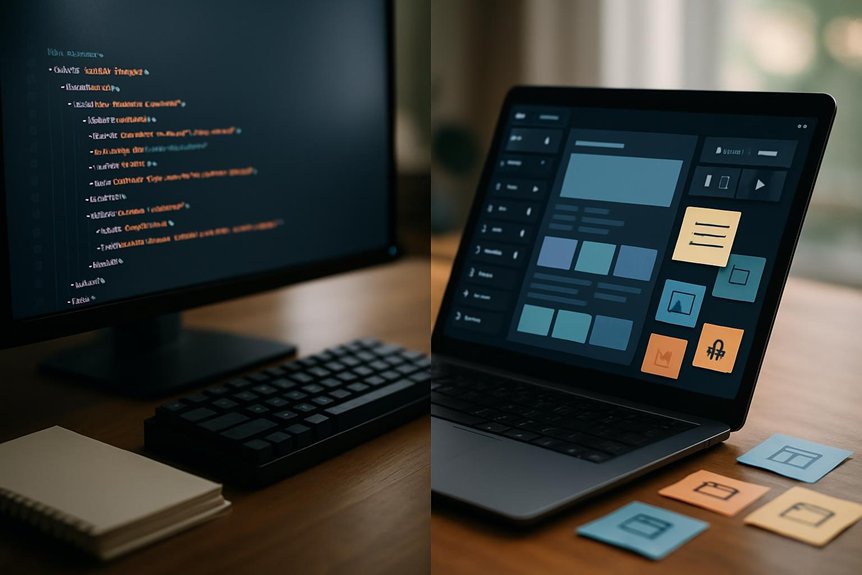
Web Design vs Page Builders: SEO Pros and Cons

seo impact of web design

When you’re choosing between a custom web design and a page builder, the SEO trade-offs are real: one gives you full control over markup, speed and structured data, while the other saves time and money but can limit URLs, schema and performance. You’ll want to weigh immediate costs against long-term organic growth—and the right choice depends on your goals and resources—so keep going to see the exact pros, cons and a practical decision checklist.

How SEO Outcomes Differ: Custom Web Design vs Page Builders

When you need search visibility, custom web design gives you the control to implement precise SEO tactics—tailored keywords, metadata, structured data, and optimized code—that page builders usually can’t match.

You’ll get faster loading pages from optimized code, which cuts bounce rates and helps rankings, while custom websites let you craft proper mobile responsiveness and site architecture.

Page builders often lock you into templates, limiting URL structure, hierarchy, and advanced search engine optimization tweaks.

With a custom site you own content and analytics access, so you can iterate based on performance data; with many page builders you’ll face restricted data and limited changeability.

If you want predictable, measurable SEO outcomes, custom design gives you the tools to achieve them.

Technical SEO Builders Often Mishandle (Crawlability, Schema, Headings)

You’ve seen how custom design gives you tight control over SEO strategy; now look at where many page builders fall short on the technical details that make that strategy work.

You’ll find crawlability suffers when builders force generic site structures or bury pages behind JS-driven navigation, making indexing unreliable. Schema markup support is often minimal or hard to customize, so you miss rich snippet opportunities that boost CTR.

Heading tags get misused—multiple H1s or skipped levels—confusing content hierarchy and search engines. Builders also limit meta and alt tag customization, restricting on-page optimization.

Finally, slow loading times from bloated builder code raise bounce rates and undermine all other efforts, so you’ll want to verify technical flexibility before committing.

How Speed, Mobile UX and Markup Impact SEO Rankings

Although technical SEO sets the strategy, site speed, mobile UX and clean markup are what actually determine whether search engines and users stick around—slow pages or a clumsy mobile layout boost bounce rates and cut conversions, while semantic HTML and structured data help search engines understand and reward your content.

You’ll see measurable drops: a one-second delay can shave conversions and raise bounces, so prioritize speed with optimized assets and server responses.

Since Google uses mobile-first indexing, your mobile user experience must mirror or exceed desktop functionality; responsive design reduces friction and engagement loss.

Finally, use semantic markup and structured data so crawlers parse intent and context, which improves visibility and ranking potential when combined with fast, mobile-friendly pages.

SEO Advantages You’ll Actually Get From a Custom Website

Speed, mobile UX and clean markup set the baseline, but a custom website is where you turn those technical advantages into measurable SEO gains. You get tailored keyword and metadata implementation that aligns with goals, improving search engine rankings.

Your site structure and navigation are optimized for users and crawlers, reducing friction. Fast, lean code cuts load times and bounce rates. Mobile-responsive design meets Google’s expectations. Full ownership of content and data preserves SEO value when you move or update.

  • Tailored keywords and metadata for business intent
  • Optimized architecture that helps crawling and UX
  • Minimized code for faster loads and lower bounce
  • Mobile-first layouts that boost mobile visibility
  • Complete content/data ownership for portability

Working with skilled web developers makes these benefits real.

Cost vs SEO ROI: Page Builders vs Custom Web Design

When weighing cost against SEO ROI, think beyond monthly fees: a page builder might save you about $50/month up front, but its generic templates and limited optimization tools can cap your organic growth and lead to missed revenue.

Whereas a custom site requires a larger initial investment yet lets you implement tailored SEO, faster performance, and UX improvements that compound into higher traffic and conversions over time.

You’ll face a clear cost vs seo roi tradeoff: website builders lower short-term spend but often blunt long-term gains because they restrict technical SEO, schema, and speed tuning.

Custom web design costs more initially but enables targeted strategies that boost search rankings and conversions—research shows optimized sites can raise conversions up to 200%—so ROI usually favors custom work long-term.

Decision Checklist: Choose Custom or a Builder (Budget, Features, Timeline)

If you need a site fast and cheap, a page builder gets you live in a day for about $50/month.

But if you want tailored features, better SEO, and a polished UX that scales, plan for a custom build that takes a few weeks and a higher upfront investment.

You should weigh budget, features, and timeline against long-term goals. Builders suit simple sites, tight budgets, and urgent launches; custom sites fit complex needs, SEO strategies, and growth plans.

  • Assess your budget: monthly convenience vs upfront investment for scalability.
  • List required features: plugins vs bespoke integrations.
  • Set your timeline: launch urgency vs development lead time.
  • Consider SEO needs: basic controls vs advanced optimization.
  • Prioritize user experience and future maintenance.

Frequently Asked Questions

What Are the Disadvantages of Website Builder?

They limit SEO depth, use generic templates that harm branding, cause slower loads and higher bounce rates, impose page/navigation limits, and offer weak technical support, so you’ll struggle with performance, scalability, customization, and complex issue resolution.

What Is the 3 Second Rule in Website Design?

You’re told the 3-second rule: you must show your site’s purpose and clear navigation within three seconds, or visitors bail; it’s practically a lifetime online, so you’ll optimize visuals, messaging, speed, and intuitive layout to retain users.

What Is the Difference Between SEO and Web Design?

SEO optimizes your site’s content, structure, and authority to rank in search results, while web design shapes your site’s look, usability, and responsiveness; they overlap, but SEO targets visibility and design targets user experience.

What Is the Difference Between a Web Designer and a Website Builder?

A web designer builds a custom, optimized site for your specific needs and scalability, while a website builder gives you drag-and-drop templates and limited customization so you can quickly create simpler sites without deep technical expertise.

Conclusion

You’ve seen how custom web design gives you control over speed, markup, crawlability, and long-term SEO, while page builders can cut costs now but limit URLs, schema, and meta flexibility. Which would you rather have: quick savings or sustained organic growth? If you want higher conversions and durable rankings, choose custom; if budget and speed-to-launch matter most, a builder can work—just plan for SEO trade-offs and future migration.


SEO Considerations When Redesigning a Website

website redesign seo strategies

A redesign is like transplanting a tree: you want roots intact so it keeps growing. You’ll need clear SEO goals and a traffic baseline before you move anything, or you risk losing hard-won visibility. Map keywords to priority pages, plan redirects, and test performance on staging so surprises don’t hit live. Keep going — the steps you skip now are the drops you’ll notice later.

Define SEO Goals and KPIs for Your Redesign

Before you start redesigning, set specific SEO goals and KPIs so you can measure whether the changes actually improve visibility and conversions.

You should define clear SEO goals like increasing organic traffic by a target percentage, improving keyword rankings for priority phrases, or boosting lead generation via optimized landing pages.

Identify KPIs—bounce rate, conversion rate, and average session duration—to track user behavior and goal completion.

Use Google Search Console to monitor indexed pages and organic traffic throughout the project so you catch visibility drops early.

Establish benchmark performance from historical data to compare results after launch.

Finally, plan to iterate your SEO strategies post-launch, adjusting targets and tactics as search algorithms and business objectives evolve.

Run an SEO Audit: Indexed Pages and Traffic Baseline

Now that you’ve set clear SEO goals and KPIs, run a thorough audit to capture every indexed page and establish a traffic baseline you can compare against after launch.

You’ll run an SEO audit using Google Analytics and Google Search Console to record current organic search traffic, bounce and conversion rates, and top-ranking pages.

Export indexed pages with Screaming Frog to map URLs, spot SEO issues, and list candidates for 301 redirects so you don’t lose link equity.

Document traffic baseline metrics and traffic sources for each priority URL, plus top keywords driving visibility.

This lets you measure post-launch impact on search rankings, quickly diagnose regressions, and prioritize fixes to maintain visibility and recover any lost organic search performance.

Map Keywords to URLs for Every Priority Page

When you map keywords to every priority URL, you give each page a clear search intent and reduce keyword cannibalization across your site.

Create an official keyword mapping that ties targeted keywords to specific URLs, informed by search volume and competition. Analyze existing content, adjust URL structure where needed, and record decisions so on-page SEO reflects the chosen terms.

Blend your map with Google Search Console data—Looker Studio helps visualize impressions, clicks, and rankings per URL—then review performance regularly and iterate as search trends shift.

If you change or consolidate URLs during redesign, implement 301 redirects to preserve SEO value and user experience.

Maintain this keyword map as a living document aligned with broader site structure and ranking goals.

Design an SEO-Friendly Site Architecture (Crawlability, Nav)

Although redesigns often focus on visuals, you should prioritize an SEO-friendly architecture that makes important pages reachable within three clicks, helps crawlers index content efficiently, and guides users through clear, logical navigation.

You’ll improve crawlability and site indexing by enforcing a clear hierarchy and tidy URL structure. Use breadcrumb navigation and a consistent navigation menu so users and bots grasp relationships quickly.

Map 301 redirects when changing URLs to avoid broken links and preserve user experience.

  1. Create a shallow site architecture so key pages sit within three clicks of the homepage.
  2. Build a navigation menu that groups content by intent and signals priority.
  3. Implement breadcrumb navigation for context and improved site indexing.
  4. Inventory redirects to eliminate broken links and maintain crawlability.

Because high-value pages and backlinks power most of your organic traffic, you must identify and protect them before changing site structure or content.

Use Google Analytics and crawl tools to identify pages that drive engagement, conversions, and inbound links. Preserve those URLs’ value: keep content, internal linking, and metadata intact where possible.

If similar or duplicate pages exist, consolidate them to strengthen topical authority and prevent keyword cannibalization. When you remove or merge pages, plan 301 redirects so link equity and user experience are retained.

Track organic traffic and backlink sources throughout the redesign to spot drops quickly and reverse issues.

Draft a 301-Redirect Plan and Track URL Changes

If you want to preserve search equity and avoid frustrating users, draft a clear 301-redirect plan that maps every old URL to its precise new destination.

You should analyze your current URL structure, prioritize high-traffic and backlink-rich pages, and document mappings in a spreadsheet for accuracy during the new site rollout.

After implementation, monitor URL changes and watch Google Search Console for crawl errors.

  1. Inventory old URLs and assess SEO value to decide redirects or consolidation.
  2. Map each old URL to the most relevant new site page to retain link equity and search rankings.
  3. Implement server-side 301 redirects, test responses, and avoid redirect chains.
  4. Track indexed URLs and crawl errors in Google Search Console until stability is confirmed.

Optimize On-Page SEO: Titles, Metas, Headers, Schema

Start by auditing and updating your titles, meta descriptions, headers, and schema so each page clearly signals its purpose to users and search engines.

You should optimize on-page seo by crafting unique title tags (50–60 characters) and meta descriptions (150–160 characters) that improve click-through rates and help prevent duplicate content.

Use header tags (H1, H2, H3) to structure content logically so search engines interpret hierarchy and visitors scan easily.

Implement schema markup to enable rich snippets and lift CTRs, helping site rankings and driving organic traffic.

Tie these changes to website analytics so you can measure traffic shifts and refine messaging.

Regular audits during redesign guarantee on-page elements stay aligned with goals and avoid SEO regressions.

Improve Technical Performance: Mobile, Speed, Core Web Vitals

While you redesign, prioritize technical performance—mobile-friendliness, page speed, and Core Web Essentials—to protect rankings and user engagement.

You’ll avoid a traffic drop by treating technical SEO as core work: guarantee mobile responsiveness for over half your visitors, test Core Web Vitals regularly, and fix issues quickly.

Focus on site speed to prevent conversion loss from each extra second of delay.

  1. Optimize images and enable browser caching to cut load times and improve site speed.
  2. Minimize render-blocking resources and use efficient code to boost Core Web Vitals scores.
  3. Use responsive layouts and touch-friendly elements to maintain mobile responsiveness and user engagement.
  4. Monitor performance post-launch to catch regressions that could cause a significant traffic drop.

Pre-Launch Tests: Staging Crawl, Sitemap, Redirects, Search Console

Because a redesign changes how search engines and users navigate your site, you should run a full set of pre-launch tests on a staging environment to catch issues before they hit production.

Do a staging crawl with tools like Screaming Frog to find broken links, missing metadata, and other technical SEO faults that damage SEO performance.

Prepare and update the XML sitemap so it reflects the new structure, then plan a timely submission.

Implement a thorough 301 redirect strategy to preserve link equity and prevent traffic loss.

Test the robots.txt file to verify important pages remain crawlable and don’t harm search engine visibility.

Finally, set up and verify the site in Google Search Console to surface crawl errors and indexing issues so you can fix them before launch.

Post-Launch Monitoring: Rank Tracking, Crawl Audits, Iterative Fixes

After launch, you should monitor rankings daily for at least two weeks so you can spot drops quickly and act, while also checking Google Search Console for indexing issues and running weekly crawl audits with tools like Screaming Frog to catch broken links, redirect chains, or other technical regressions.

You’ll use post-launch monitoring to compare rank tracking against organic traffic patterns and prioritize fixes. Set up rapid response plans so crawl errors get resolved within 24 hours when possible. Focus technical SEO efforts where impact is highest.

  1. Run daily rank tracking and log notable shifts for investigation.
  2. Review Google Search Console for indexing or coverage warnings.
  3. Perform weekly crawl audits to find broken links and redirect chains.
  4. Apply iterative fixes, measure effects, and repeat until stability’s restored.

Frequently Asked Questions

How to Protect Your SEO During a Website Redesign?

You’ll protect your SEO by auditing top pages, involving SEO stakeholders early, mapping and implementing 301 redirects, migrating key content, testing site structure, and monitoring performance with Google Analytics/Search Console while fixing crawl errors and UX issues promptly.

Does Redesigning a Website Affect Its SEO?

Yes — redesigning your site can hurt or help SEO: you can preserve rankings with careful redirects, retain content and structure, monitor performance, and fix issues quickly, or you can lose traffic by changing URLs, deleting pages, or neglecting SEO.

What Is the 80/20 Rule in SEO?

The 80/20 rule in SEO says you’ll get about 80% of results from 20% of efforts—so you should identify and optimize your top pages, keywords, and backlinks, focusing resources where they drive traffic and conversions most.

How to Redesign a Website Without Losing SEO?

Include SEO stakeholders early, run a full audit, map and implement 301 redirects for top pages, preserve important content and backlinks, update metadata, and monitor performance with Search Console and Analytics so you catch and fix issues fast.

Conclusion

You’ve covered the essentials — goals, audits, keyword maps, architecture, redirects, on-page and technical fixes, and testing — so when you launch, treat it like sending a space probe with a pocket watch: precise, monitored, and ready to adapt. Keep tracking rankings, crawl errors, and traffic against your KPIs, fix issues fast, and iterate. With diligent monitoring and swift redirects or content moves, you’ll protect and grow organic visibility after the redesign.

Web Design Elements That Improve Dwell Time and SEO

enhancing site engagement strategies

Think of your homepage as a well-lit doorway drawing people in with purpose and promise. You’ll keep visitors past that first glance by tightening page speed, guiding eyes with visual hierarchy, and breaking content into scannable blocks. Add purposeful visuals, micro‑interactions, and smart internal links to nudge exploration. Optimize for mobile touch flows, and you’ll turn brief visits into meaningful journeys—here’s how to make each element earn its place.

Prioritize Fast Page Speed to Prevent Quick Exits and Boost Dwell Time

Because visitors decide fast, you need pages that load almost instantly to keep them from leaving — 53% of mobile users bail after three seconds.

You should prioritize fast page speed to improve user experience and lower bounce rate, since slow loading times cut dwell time and hurt conversions.

Run PageSpeed Insights to pinpoint image bloat, unminified code, and caching issues affecting mobile devices. Fixing those boosts user engagement and gives you an edge in search engine results where speed matters.

Remember that a one-second delay can trim conversions by about 7%, so optimize images, enable browser caching, and defer noncritical scripts.

Treat loading times as fundamental design work, not optional polishing, to keep visitors and grow revenue.

Design a Visual Hierarchy (Fonts, Color, Layout) That Guides Attention

When you structure fonts, color, and layout deliberately, you guide users’ eyes to the most important information and make pages easier to scan.

Use size, weight, and contrast to build a clear visual hierarchy so headlines, subheads, and CTAs stand out. A consistent color scheme boosts readability and emotional response, supporting brand recognition and user retention.

Thoughtful layout design with ample white space lowers cognitive load, encouraging longer dwell time and reducing bounce rate. Make your call-to-action colors pop against backgrounds to lift click-throughs while grouping related topics to preserve logical flow.

Align this visual system with your content strategy to present engaging content that’s easy to navigate, increasing user retention and improving SEO performance.

Structure Scannable Content Blocks for Faster Reading and Retention

If you want readers to find key ideas fast, break your page into scannable content blocks with clear headings, short 3–4 line paragraphs, and strategic use of bolding.

You’ll improve the reading experience by grouping related points into digestible chunks and using bullet or numbered lists to make steps or facts obvious.

Clear headings surface main ideas so visitors scan for relevance, boosting user engagement and retention.

Bold key phrases to guide skimmers toward essential concepts and support user comprehension.

Maintain visual clarity with whitespace between blocks so the page feels approachable rather than dense.

Pair each block with relevant visuals only when they reinforce the point, helping users remember content and encouraging them to stay longer on the page.

Add Images, Infographics, and Video Only When They Increase Comprehension

Although visuals can grab attention, only add images, infographics, or videos when they clarify a point or make data easier to understand; otherwise they clutter the page and slow readers down.

You should pick multimedia elements that boost user comprehension by providing clear visual context or summarizing complex data so visitors grasp ideas faster.

Well-chosen infographics and short explanatory video clips can increase dwell time and make content more engaging for varied learning styles.

Optimize files to avoid slow-loading assets that harm user experience and SEO.

If a graphic doesn’t add meaning, remove it.

Test visuals for relevance and load speed, and prioritize captions, alt text, and concise labels so every image supports comprehension and keeps readers exploring.

Add Micro‑Interactions and Small Rewards to Encourage Exploration

Because small moments of feedback make pages feel alive, adding micro‑interactions and tiny rewards encourages users to explore more of your site.

You should use subtle animations and hover feedback as interactive elements that prompt clicks and signal success, boosting user engagement and dwell time.

Introduce small rewards—unlocked tips, short achievements, or content reveals—to motivate deeper user exploration without disrupting navigation.

Gamified elements like progress bars or mini-quizzes turn passive viewing into active participation and can reduce bounce rates.

Keep micro-interactions purposeful and lightweight so they enhance website design and load speed.

Measure which interactions increase return visits and refine them.

Done well, these tiny cues make your site more memorable, encourage repeat visits, and improve overall SEO through sustained engagement.

When you guide readers with purposeful internal links, you keep them moving through your site and increase the chances they’ll stick around.

Use internal links to guide users from one relevant topic to another, pointing them to related content that answers next questions. Descriptive anchor text sets expectations and encourages clicking through, which helps reduce bounce and engage users longer.

A clear site navigation and in-content linking strategy distributes authority to priority pages and boosts SEO performance while you improve user experience.

Audit links regularly so they stay relevant, remove dead ends, and surface fresh resources.

Optimize Mobile Layouts and Touch Flows for On‑The‑Go Dwell Time

If your site doesn’t feel native on a phone, people leave fast — so prioritize responsive layouts and touch-friendly flows that make browsing effortless on the go.

You should focus on mobile optimization to boost dwell time and user engagement: design responsive layouts, size touch-friendly elements like buttons and menus, and guarantee seamless navigation that keeps visitors exploring.

Fast-loading pages matter—compress images, defer nonessential scripts, and use caching so content appears instantly.

Mobile-friendly websites also rank better, so optimizing improves SEO while you reduce bounce rate.

Test across devices and network speeds, streamline content for readability, and measure behavior to iterate.

Do this and you’ll create a mobile user experience that retains users and encourages deeper interaction.

Frequently Asked Questions

Which Web Design Element Can Improve SEO?

A responsive web design improves SEO by adapting to any device, so your pages load properly and users stay longer; you’ll reduce bounce rates, boost crawlability, and signal relevance to search engines through better engagement and accessibility.

What Are the 3 C’s of SEO?

Think of them as your SEO tripod: Content, Code, and Credibility. You’ll craft compelling content, clean code for fast, accessible pages, and build credibility with authority and links, so users and search engines trust and stay.

How Does Dwell Time Affect Website SEO?

Dwell time boosts SEO because search engines see longer visits as relevance signals, so your pages rank better when users stay and engage; you should optimize content and experience to keep visitors interacting and reduce quick exits.

How to Increase Dwell Time on a Website?

Think of your site as a cozy conversation: craft clear, scannable content, add engaging media, speed up loading, guarantee mobile ease, link related pages, and refresh content often — you’ll keep visitors curious and staying longer.

Conclusion

You’ve tightened load times, set a clear visual path, broken content into bite-sized blocks, and sprinkled visuals, micro-interactions, and internal links that invite clicks. Now imagine a visitor arriving, eyes scanning a clean layout, tapping a helpful video, pausing to read a highlighted snippet, then following an internal link — staying longer than you expected. Keep refining those elements, and you’ll watch dwell time rise and SEO gains quietly stack up, page by page.

Why Mobile-First Web Design Is Critical for SEO Success

mobile optimization enhances seo

If you want search visibility and real user engagement, you need to treat mobile as your primary audience. Google indexes sites mobile-first, users expect fast, clear experiences on small screens, and slow or cluttered mobile pages tank conversions. I’ll show which metrics, design choices, and technical fixes move the needle—and what most teams miss—so you can prioritize the changes that actually improve rankings and revenue.

Why Mobile-First Design Matters for SEO in 2025

Because most people now browse on phones, designing for mobile first isn’t optional—it’s how you’ll win visibility and keep visitors.

You need mobile-first design to capture over 70% of web traffic and deliver the mobile optimization Google expects.

Focus on a mobile-friendly website that prioritizes faster loading times and intuitive navigation so user experience improves and bounce rates fall—sometimes by up to 53%.

That drop in exits boosts user engagement and signals relevance to search rankings, directly impacting SEO success.

When you streamline content, compress assets, and simplify interactions, conversions rise and your site stays competitive as expectations evolve.

Adopt mobile-first practices now to protect visibility and drive measurable gains in traffic and conversions.

How Google’s Mobile-First Indexing Evaluates Your Site

Now that you’ve committed to mobile-first design, you need to understand how Google evaluates your site: mobile-first indexing means Google primarily crawls and ranks the mobile version, so any content, structured data, or performance differences between mobile and desktop can change your visibility.

You must guarantee content indexing parity — the mobile site should mirror desktop content and structured data so SEO success isn’t undermined.

Google’s algorithms factor page speed, mobile-friendly design, and mobile optimization when determining search rankings. Slow pages raise bounce rates and hurt user engagement, which signals lower quality to Google.

Monitor mobile metrics, fix missing content or schema on mobile, and optimize load times. Doing so preserves rankings and aligns your site with Google’s mobile-first expectations.

Mobile User Behaviors That Affect SEO

How do mobile users behave differently, and why does that matter for your SEO?

Mobile user behaviors show people want fast access and concise info; 53% leave if pages load over three seconds, so fast loading times directly affect SEO performance.

Over half of traffic is mobile, so mobile-first indexing means Google looks at your mobile site first. If your site isn’t easy to navigate or content isn’t immediately accessible, you’ll see higher bounce rates, which hurt rankings.

By optimizing for mobile—clear menus, prioritized info like store hours, and touch-friendly layouts—you improve user experience and keep users engaged.

A mobile site that’s quick and easy to navigate leads to lower bounce rates and better SEO outcomes.

Mobile-First Performance Metrics to Track First

Start by tracking a short list of mobile-first performance metrics that directly affect rankings and user experience: mobile page speed, bounce rate, crawl errors, engagement, and conversions.

You’ll aim for a PageSpeed Insights score of 90+ because 53% of mobile users leave after three seconds; faster load times boost search engine rankings and reduce bounce rates.

Monitor mobile crawl errors in Google Search Console to fix indexing blockers. Measure user engagement metrics—time on site and interactions—to judge if your mobile-first design delivers an intuitive user experience.

Track conversion rates to confirm mobile-friendly sites turn visits into actions.

  • Mobile page speed targets (90+)
  • Mobile bounce rates by page
  • Mobile crawl errors trends
  • User engagement metrics (session length)
  • Conversion rates per device

Mobile-First Content & Layout Priorities

After you’ve been tracking mobile performance, shift focus to what users actually see and touch: content and layout. You’ll prioritize essential information, using a clear content hierarchy and concise messaging so visitors find what they need fast.

Adopt a streamlined design with larger touch targets and simple navigation to cut accidental taps and boost engagement. Make pages mobile-friendly by using optimized images and compressed media to support fast load times—critical since users abandon slow pages.

Rely on responsive layouts so content adapts across devices without breaking user experience. This mobile-first design mindset reduces friction, improves interaction metrics, and signals quality to search engines.

When you design for mobile users first, you set the stage for measurable SEO success.

Technical Steps to Make Your Site Truly Mobile-First

Anyone can make a site mobile-first by focusing on concrete technical steps that remove friction for mobile users and search engines alike.

You’ll implement responsive layouts so pages adapt to any device, improving mobile-first design and SEO success. Optimize images and videos—compress and lazy-load—to boost loading speeds and reduce abandonment.

Make navigation touch-friendly with larger buttons and simplified menus to prevent mis-taps. Run regular mobile audits via Google Search Console to catch crawl errors and performance issues on the mobile version.

Add structured data to help search engines surface your mobile-optimized content.

  • Use responsive layouts and fluid grids
  • Compress and lazy-load media to optimize images
  • Design touch-friendly navigation and controls
  • Schedule mobile audits to find crawl errors
  • Add structured data for better indexing

Mobile-First Design Patterns That Improve SEO and Conversions

Having taken care of the technical fixes, you can now focus on mobile-first design patterns that lift both SEO and conversions.

Use responsive design techniques to guarantee layouts adapt to screens, improving user experience and reducing bounce rates.

Prioritize fast loading times by optimizing images and server responses so mobile users don’t abandon pages.

Design touch-friendly navigation with larger buttons and simple menus to boost engagement and higher conversion rates.

Streamline content structure for scannability on small screens, making info findable and supporting SEO success.

Finally, include structured data in your mobile-first design to help search engines understand content and increase visibility, which directly supports conversions by surfacing relevant snippets to mobile users.

Test and Validate Mobile-First SEO (Tools, Targets, Fixes)

When you test and validate mobile-first SEO, use a mix of speed, analytics, and crawl tools to get a clear picture of performance and issues.

Mobile-first indexing means Google evaluates your mobile site version, so you must guarantee site functions load quickly and reliably. Use tools like Google PageSpeed Insights and GTmetrix to target scores near 90, monitor mobile bounce rates in Google Analytics, and regularly check for mobile crawl errors in Search Console.

Track user engagement metrics — session duration and pages per session — to judge retention. Then implement fixes based on testing results, prioritizing optimizing images and simplifying navigation to enhance overall mobile user experience.

  • Run PageSpeed and GTmetrix audits
  • Monitor mobile bounce rates weekly
  • Check crawl errors daily
  • Track engagement metrics
  • Implement fixes from test data

Common Mobile-First Mistakes That Hurt Rankings (And How to Fix Them)

After you run audits and fix obvious issues, the next step is spotting common mobile-first mistakes that quietly drag down rankings.

You must tackle slow load times by optimizing images, enabling compression, and prioritizing critical content so Google sees sub-three-second performance; remember 53% of mobile users abandon slow pages.

Implement responsive design to preserve a smooth user experience and reduce bounce rates; nonresponsive layouts frustrate touch users and harm SEO.

Simplify navigation for thumbs: clear menus, large tap targets, and logical flow prevent quick exits that signal low value.

Regularly test mobile usability and crawlability with tools like Google Search Console to find errors and fix them before visibility suffers.

These fixes protect rankings and improve conversions.

Frequently Asked Questions

Why Is Mobile First Design Critical for Websites Today?

Because it prioritizes the experience your visitors actually use, you’ll rank better with Google’s mobile-first indexing, reduce bounce rates, speed load times, and boost engagement and conversions by delivering fast, intuitive, on-the-go browsing for users.

Why Is Mobile Responsiveness Critical for SEO?

Mobile responsiveness is critical for SEO because Google prioritizes mobile indexing, so if your site’s not optimized for phones, you’ll lose rankings, traffic, and engagement due to slow loads, high bounce rates, and poor user experience.

Why Is People First Design Important for SEO Implementation?

People-first design matters for SEO because you create faster, clearer, and more engaging experiences that lower bounce rates, improve session duration, and satisfy mobile-first indexing, so search engines reward your site with better rankings and visibility.

Does Google Prioritize Mobile First Indexing?

Yes — Google prioritizes mobile-first indexing, so you’re best off treating the mobile site as the main storefront; if it’s sparse or slow, rankings can slip, so optimize content, speed, and usability for mobiles.

Conclusion

Think of your site as a storefront on a busy street: if it’s cramped, slow, or messy on mobile, people’ll walk past. By prioritizing mobile-first design, you’ll speed pages, simplify layouts, and serve content that matches how users actually browse — which boosts engagement, lowers bounce rates, and improves rankings. Keep testing, fix mobile-specific issues first, and treat every update as a chance to make your mobile experience smarter, faster, and more persuasive.