

You’ll find AI can speed up layout choices, generate images, draft copy, and even spit out code so you can focus on higher-level decisions. It’s practical for routine work and rapid testing, but it won’t replace the empathy and strategic judgment you bring to a project. If you want to know when to hand tasks to AI and when to keep them human, there’s a simple way to decide.
What AI Does in Web Design
When you use AI in web design, it takes over repetitive tasks like code generation and layout creation so you can focus on creativity and user experience.
You’ll see tools like Wix ADI and image generators such as Midjourney or DALL·E 3 craft unique visuals and layouts from preferences you provide.
AI in web design speeds development by proposing optimized structures, automating formatting, and monitoring performance in real time.
It personalizes content and interfaces to match individual behaviors, improving engagement and conversion.
Chatbots handle routine interactions—freeing you to solve complex problems—while analytics-driven suggestions refine UX continuously.
How to Adopt AI in Your Design Workflow (Step-by-Step)
Start by auditing your current workflow to pinpoint repetitive tasks, gaps in analytics, and areas where AI can save time or improve outcomes.
Next, pilot ai tools like Wix ADI and ChatGPT on one project to automate layout tweaks and generate draft copy, measuring time saved.
Add AI-driven analytics to track user behavior and identify conversion bottlenecks.
Experiment with AI image generators for visuals, then integrate NLP chatbots to handle common support queries and improve engagement.
Train your team on the chosen tools, set clear success metrics, and document new processes.
Finally, use real-time performance monitoring to iterate designs quickly — shut down ineffective experiments, scale successful ones, and keep refining your web design workflow with ongoing AI feedback.
AI Tools for Web Design: Layout, Copy, Images, Code

Tools for layout, copy, images, and code are reshaping how you design websites by automating routine work and surfacing creative options—Wix Studio and similar platforms can auto-generate layouts from prompts.
ChatGPT-style models draft and adapt copy to your audience, image generators like Midjourney produce unique visuals, and AI code assistants suggest snippets and fixes so you move faster from concept to live site.
You’ll use ai-powered tools to prototype responsive layouts, iterate content that matches voice and SEO goals, and generate original imagery that fits brand aesthetics.
In web design and development workflows, code generators accelerate implementation and enforce patterns, while analytics-driven suggestions help you refine assets based on real user behavior, tightening the loop between idea and delivery.
Benefits and Limitations of AI in Web Design
After using AI to generate layouts, copy, images, and code, you’ll quickly see both the upside and the constraints of adding it to your workflow.
The benefits of using AI include automating repetitive tasks, speeding project completion, and making design accessible to non-technical creators through tools like Wix ADI and Bookmark. You can also boost engagement by personalizing content and layouts from real-time user data.
Still, limitations of AI are real: it lacks strategic thinking and doesn’t fully grasp human emotion, which can produce generic results that miss brand nuance. Overreliance can let subtle errors slip past quality checks, so you’ll need to combine AI efficiency with human review to maintain creativity and accuracy.
Choosing AI or a Human Designer: Project Fit & Decision Checklist
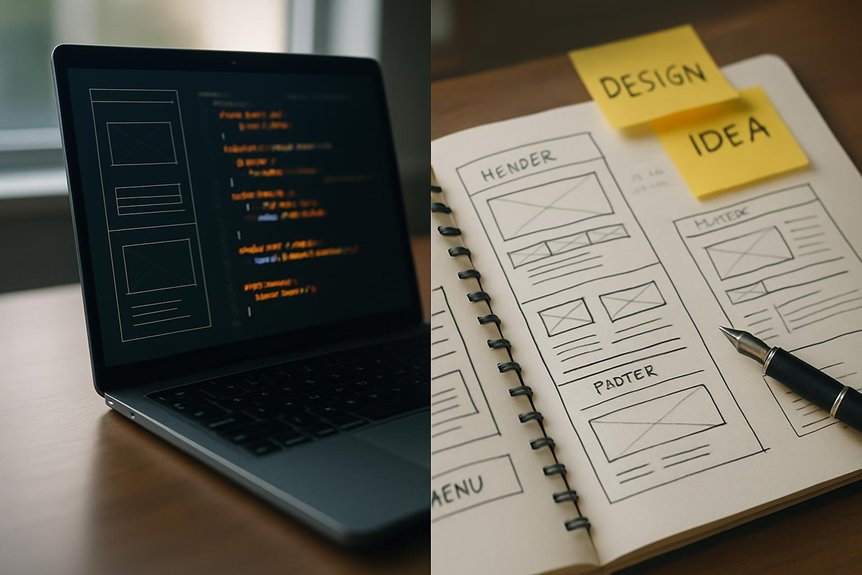
When do you pick AI and when do you hire a human designer? Assess project complexity: use AI technology for fast, standard builds and routine optimization, but hire human designers for intricate features and nuanced creativity.
Check branding needs—if you need emotional resonance or distinctive identity, prioritize a human.
Factor cost and timeline: AI tools lower cost and speed up delivery; agencies and human teams cost more but offer strategic alignment, QA, and ongoing support.
Evaluate maintenance: AI may need your oversight, while agencies handle updates and optimization.
Finally, consider innovation potential—AI generates ideas and automates tasks, but human contextual understanding elevates design.
Use this checklist to match resources to goals and risk tolerance.
Frequently Asked Questions
How Does AI Affect Web Accessibility Compliance and Audits?
AI helps you speed accessibility audits, flag issues, and suggest fixes, but it can miss context or generate false positives; you’ll still need human review, testing with assistive tech, and policy decisions to guarantee full compliance.
Can Ai-Generated Designs Be Trademarked or Copyrighted?
You can copyright AI-generated designs only if you contributed sufficient human creativity; pure machine-only works generally aren’t protected. You’ll want to register and consider trademarks separately, since trademarking depends on use and distinctiveness.
What Data Privacy Risks Arise From Ai-Powered Personalization?
You face risks like unauthorized profiling, sensitive data exposure, re-identification of anonymized records, biased decisions from flawed datasets, opaque model behavior, and regulatory noncompliance — you’ll need consent, minimization, transparency, and strong security controls.
How Do AI Tools Handle Multilingual Website Localization?
They use translation models, glossaries, and locale-aware rules to localize content; you’ll review suggested translations, adjust cultural nuances, manage terminology, and integrate automated testing, ensuring consistency across languages while maintaining SEO and performance.
Can AI Replace UX Research and Usability Testing Teams?
No — you shouldn’t expect AI to fully replace UX research and usability testing teams; it can augment workflows, speed analysis, and generate insights, but human empathy, context interpretation, and complex synthesis remain essential for reliable, ethical outcomes.
Conclusion
You’ve seen how AI speeds layout drafts, generates images, writes copy, and even produces code, letting you move faster and iterate more. Adopt it step-by-step to automate routine tasks while keeping humans in charge of strategy, emotion, and final polish. Use the decision checklist to pick AI, a human, or both based on goals, budget, and audience. When you balance AI’s efficiency with human creativity, you’ll build designs that’re fast, polished, and meaningful.